The Secret Fortnite Chest Trick: How to Find Hidden Loot and Get Better Rewards
Fortnite is a game where every decision can make a difference between winning and getting eliminated early. From choosing the right landing location to collecting powerful weapons, players constantly look for ways to improve their performance. However, one of the most overlooked aspects of the game is knowing how to find chests efficiently.
Many players run through buildings, search random corners, and leave locations without realizing that valuable loot might be hiding just a few steps away. Others spend too much time searching areas where no chest has spawned, putting themselves at risk when the storm begins moving.
The good news is that there is a simple technique that can make searching for chests much easier. It does not require downloading additional software, purchasing special equipment, or using unfair exploits. Instead, it involves understanding Fortnite's audio system, adjusting one important setting, and learning how to interpret the clues provided by the game.
This guide explains the secret Fortnite chest trick, how to activate visual sound indicators, where to search when a chest seems nearby, and how to make better decisions while collecting loot.
What Is the Secret Fortnite Chest Trick?
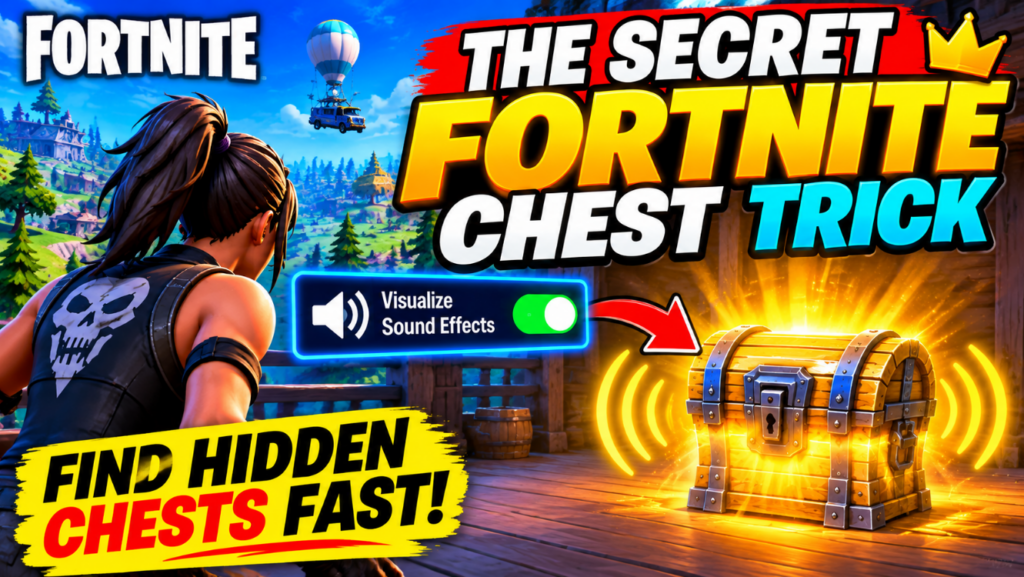
The secret is learning to use Fortnite's Visualize Sound Effects setting to identify nearby audio cues and narrow down the direction of possible chests.
Normally, players depend on their ears to recognize the characteristic sound of an unopened chest. This can become difficult when there are explosions, footsteps, gunshots, vehicles, and other players moving nearby.
Visual sound indicators provide another way to understand what is happening around you. Instead of relying entirely on hearing, you can use visual information displayed on your screen to help identify the direction of certain sounds.
This setting is particularly useful when searching buildings with several floors, exploring complicated structures, or playing in situations where multiple sounds happen simultaneously.
It is important to understand that the feature does not reveal every chest or guarantee that a chest is available in the direction indicated. Think of it as a helpful detection tool rather than a magic button that reveals all the loot on the map.
How to Activate Visual Sound Effects in Fortnite
One reason many players overlook this technique is that they do not explore all the available audio settings.
Fortunately, activating visual sound indicators is straightforward and does not require an additional application.
Follow these steps:
- Launch Fortnite and enter the main lobby.
- Open the menu using your display name in the upper-right corner.
- Select the Settings option.
- Navigate to the Audio tab.
- Find the Visualize Sound Effects option.
- Turn the setting ON.
- Select Apply to save your changes.
Once enabled, the game can display visual radial indicators for certain sounds.
Epic Games provides official instructions for activating this feature in its support documentation. You can find them by visiting the official Fortnite support website and searching for "How to Visualize Sound Effects."
After enabling the option, enter a match and pay attention to the visual information around your character.
When you notice an indicator associated with a nearby sound, use it to decide which direction deserves your attention. Move carefully and investigate the surrounding structure.
The most important thing is not to rush blindly toward the indicator. Take a moment to understand the environment before deciding where to search.
Why This Trick Makes Finding Chests Easier
Imagine landing in a large building with several rooms and multiple floors.
You open the first room and find ammunition, but no useful weapon. You move into the next area and hear something that sounds like a chest.
Without paying attention to audio clues, you might assume that the chest is somewhere nearby and begin checking every corner randomly.
With visual sound indicators enabled, you have another source of information that can help narrow down your search.
This can be useful for several reasons.
First, it reduces unnecessary searching.
Instead of exploring an entire building without a plan, you can concentrate on the direction suggested by the available audio clues.
Second, it helps when several sounds overlap.
Fortnite matches can become extremely noisy. Explosions, footsteps, gunfire, and environmental sounds can make it difficult to distinguish individual audio cues.
Visual indicators provide an additional reference that can help you understand your surroundings.
Third, it encourages smarter movement.
Searching efficiently means spending less time inside one building and more time preparing for the next fight, collecting resources, or moving toward the safe zone.
The advantage is not that you automatically receive better loot. It is that you can make more informed decisions about where to spend your time.
The Best Places to Search When You Hear a Chest
One common mistake is assuming that a chest must be located directly in front of you whenever you hear its sound.
In reality, the chest may be separated from your character by walls, floors, ceilings, or other parts of the building.
When you suspect that a chest is nearby, check the surrounding structure carefully.
1. Upper Floors and Rooftops
Do not limit your search to the ground floor.
Some buildings contain several accessible levels, and players sometimes leave without checking the rooms above them.
Look for stairs, ladders, rooftops, and other accessible areas. If the audio clue seems close but you cannot see anything, changing your elevation may help you locate the source.
2. Basements and Lower Areas
Another useful habit is checking below your current position.
A chest may be located in a lower room, underground area, or basement that is not immediately visible.
If you hear a nearby sound while standing on an upper floor, look for stairs, entrances, or openings that lead downward.
3. Rooms Behind Walls
Large buildings often contain small rooms that are easy to overlook.
Check corners, storage spaces, interior rooms, and areas separated from the main entrance.
Do not spend too much time breaking every wall, however. If your search is taking too long, it may be better to continue toward another area.
4. Spaces Under Ramps and Structures
Fortnite's building designs can create unusual spaces where loot is difficult to notice.
Look beneath accessible ramps, platforms, staircases, and other structures when investigating a nearby audio clue.
These are practical places to inspect, not guaranteed chest locations.
A Better Landing Strategy for Collecting Loot
Finding chests is only one part of building a strong start.
Your landing strategy also matters because arriving in a crowded location can expose you to opponents before you have collected enough equipment.
A good approach is to choose a landing area that offers enough buildings to explore without forcing you into an immediate fight.
Before jumping from the Battle Bus, consider three things:
- How many opponents are likely to land in the same area?
- Are there several buildings or structures worth searching?
- Can you reach the next safe area without crossing too much open ground?
If you are still learning the game, quieter landing locations can give you more opportunities to practice searching for chests and collecting resources.
Experienced players may prefer more competitive locations because they want early fights and opportunities to eliminate opponents.
Neither approach is automatically better. The right decision depends on your playstyle and the objectives of the match.
How to Avoid Wasting Time Searching for Empty Chests
A potential chest location does not mean that a chest will always appear there.
This is an important detail that many players misunderstand.
Even if you remember finding a chest in a particular building during a previous match, that does not guarantee that the same location will contain one again.
Fortnite's loot distribution and available locations can change depending on the game mode, season, and updates.
For that reason, memorizing a single route and expecting identical results every match is not a reliable strategy.
Instead, develop a flexible search routine.
Start with the closest buildings, pay attention to audio clues, investigate suspicious areas, and move on when a location does not contain useful loot.
This approach prevents you from spending too much time searching the same structure.
Remember that the storm is always an important consideration. Finding one additional chest is not worth losing valuable time or getting eliminated outside the safe zone.
Use Your Gaming Headset to Improve Audio Awareness
Although visual sound indicators can be extremely helpful, understanding Fortnite's audio environment is also important.
A suitable gaming headset can make it easier to distinguish different sounds during a match.
For example, you may notice the difference between footsteps, nearby gunfire, environmental sounds, and the familiar audio associated with unopened chests.
When choosing a headset, consider features such as:
- Comfortable ear cushions for longer gaming sessions.
- Clear audio reproduction.
- A reliable microphone for communicating with teammates.
- Compatibility with your gaming platform.
- Adjustable volume controls.
You do not need to purchase an expensive headset to start improving your awareness.
A basic gaming headset with clear audio can be enough for casual players. More advanced models may offer additional comfort, sound customization, and microphone features.
If you play Fortnite on PC, PlayStation, Xbox, or another supported platform, check compatibility before purchasing any gaming accessory.
Also remember that a headset is optional. Fortnite's visual sound setting is available through the game's own settings and does not require specialized hardware.
The Best Fortnite Settings for Better Awareness
There is no single configuration that works perfectly for every player.
Your preferred settings may depend on your platform, display, controller, keyboard, and personal preferences.
However, certain adjustments can help make gameplay more comfortable and improve your ability to recognize important information.
Visual Sound Effects
This is the central setting behind the chest trick.
Enable it in the Audio menu if you want visual indicators for supported sounds.
Audio Volume
Adjust your sound levels so that important game audio remains understandable.
If your volume is too low, you may miss useful information. If it is unnecessarily high, prolonged gaming can become uncomfortable.
Brightness
Choose a brightness level that allows you to see indoor environments clearly without making the image excessively bright.
This can be especially helpful when exploring dark rooms or structures.
Graphics and Performance
PC players should consider balancing visual quality and performance.
A stable frame rate can make the game feel more responsive, particularly during intense fights.
If you experience performance problems, check the available graphics options and compare how the game performs with different configurations.
You do not necessarily need an expensive gaming computer to enjoy Fortnite. The best configuration is one that provides stable performance on your hardware.
Common Mistakes Players Make When Searching for Chests
Even players who understand the audio system can make mistakes that reduce their efficiency.
Here are some habits worth avoiding.
Ignoring audio indicators: Some players focus entirely on the visual environment and forget to pay attention to sounds that could help them locate nearby loot.
Searching only at ground level: A chest may be above or below your current position. Always consider the structure's different levels.
Spending too long in one location: Searching every corner of a building can become dangerous when the storm is approaching.
Following every sound without thinking: Not every audio cue means that a chest is available. Other players and environmental events can also create sounds.
Assuming familiar locations always contain loot: A location that had a chest in a previous match may be empty in the next one.
Ignoring nearby opponents: Collecting loot is important, but awareness of your surroundings should always come first.
Avoiding these mistakes can make your matches more organized and help you develop better habits over time.
Does the Fortnite Chest Trick Work on Every Platform?
The Visualize Sound Effects feature is designed to provide visual information about supported sounds, but the experience can vary depending on the platform and current game version.
Players on PC, PlayStation, Xbox, and Nintendo Switch should check their available audio settings and confirm that the option is enabled.
There are also situations in which a technical issue may affect the display of visual indicators.
For example, Epic Games has published support information about missing Visualize Sound Effects indicators on Nintendo Switch 2.
If the feature does not appear to work correctly, check the official Fortnite support pages for current information and troubleshooting instructions.
You should also make sure that your game is updated.
Do not assume that a missing indicator means there are no chests nearby. Continue using your normal audio awareness and search the environment carefully.
Frequently Asked Questions About Fortnite Chests
What is the secret trick to finding chests in Fortnite?
The trick is enabling Visualize Sound Effects in the Audio settings. This feature provides visual indicators for certain sounds and can help you investigate the direction of nearby audio clues.
Can you see hidden chests through walls in Fortnite?
The visual sound feature can help identify the direction of supported sounds, but it does not provide a guaranteed outline of every chest or reveal all loot through walls.
Do all Fortnite chests appear in the same locations?
No. Potential chest locations and loot distribution can vary depending on the season, game mode, and updates. A location that contained a chest in one match may be empty in another.
Do I need a gaming headset to use this trick?
No. You can activate Visualize Sound Effects directly from Fortnite's audio settings. A headset is optional and may provide additional audio clarity.
Is the Fortnite chest trick allowed?
Yes. Using an audio accessibility and gameplay setting provided by Fortnite is a normal way to interact with the game. You do not need cheats, external software, or unauthorized modifications.
Can this trick guarantee better weapons?
No. The feature helps you investigate possible chest locations, but it does not control which items appear inside them. Loot quality depends on the game's loot system.
What should I do if I cannot find a chest after following an indicator?
Check nearby rooms, other floors, and accessible lower areas. If you still cannot locate anything, move on and continue searching elsewhere.
Final Thoughts: Search Smarter, Collect Loot Faster, and Play Better
Finding chests in Fortnite is not simply about knowing where to land. It is about understanding the environment, recognizing useful audio information, and managing your time throughout the match.
The Visualize Sound Effects setting is a particularly useful feature because it gives players another way to identify nearby sounds without depending entirely on their hearing.
By activating this option, checking different building levels, choosing smarter landing locations, and avoiding unnecessary searches, you can develop a more efficient approach to collecting loot.
Remember that no trick guarantees a Victory Royale or guarantees that every chest will contain powerful equipment. Your positioning, decision-making, aim, and ability to adapt remain essential parts of the game.
The next time you enter a Fortnite match, try activating visual sound indicators before landing. Pay attention to the clues, investigate nearby structures, and see how this small adjustment changes the way you search for loot.
Sometimes, improving your gameplay does not require a complicated strategy or expensive gaming equipment. It simply requires knowing how to use the tools already available in the game.


Deja una respuesta